Back to home2025
A meeting assistant for AR glasses
Live captions, a running summary and automatically extracted tasks, in your field of view on Snapchat Spectacles.
- Who it’s for
- People in meetings who would rather listen than take notes.
- What it changed
- Captions, a running summary and a task list in your field of view, hands-free, working end to end on real Spectacles by the end of the hackathon.
- Where
- Junction 2025, Espoo, Finland
- My part
- Backend, speech-to-text and text-to-speech
- Built with
- Python, FastAPI, WebSockets, ElevenLabs speech-to-text and text-to-speech, Google Gemini, Lens Studio, Supabase, Docker
- Links
- Code on GitHub
Run the meeting assistant in your browser
This is the Spectacles experience rebuilt for the web. Talk, and captions appear live along the bottom of the view. When you end the meeting, a language model writes the title, summary and tasks, using the same prompts as our backend. Speech is transcribed by your browser, and only the finished transcript is sent off to be summarised.
Press “Start meeting” and say something, or play the sample.
Model card
- Model
- Llama 3.1 8B Instruct on Cloudflare Workers AI, with the two prompts from our hackathon backend: one for the title and summary, one for tasks.
- Captions
- Your browser’s speech recognition. In Chrome that runs on Google’s servers, so your audio goes there.
- Original
- At Junction we used ElevenLabs for speech-to-text and Gemini for the summary and tasks.
- Score
- Not measured. We never built a labelled set of meetings with the correct tasks, and that is the first thing I would add.
Meant for Notes you check, not minutes you sign. It does well at summarising, and less well at deciding what someone actually committed to.
Where it fails
Ideas become tasks
“Someone should redesign the logo, but nobody is doing it this month” comes back as a task: “Redesign logo”. The model hears an action, and the refusal around it gets lost.
Relative dates
The prompt includes today’s date, but small models are bad at calendar arithmetic. Run on Friday 16 October, the meeting above turned “by Friday” into 21 October, a Wednesday.
No idea who is speaking
Browser captions have no speaker labels, so it can only assign a task when a name is said out loud. In the sample, names are typed in front of each line, which a live meeting doesn’t give you.
The problem
In a meeting you either take notes or pay attention. We wanted glasses that do the first so you can do the second. They should listen, caption what people say, keep a running summary, and turn “can you send me the report by Friday?” into a task with a due date, without anyone touching a laptop.
What we built
A Lens Studio app for Snapchat Spectacles talks to a FastAPI backend over WebSockets. Audio from the glasses is chunked with simple voice-activity detection and streamed to ElevenLabs’ realtime speech-to-text. The transcript comes back as subtitles at the bottom of your view.
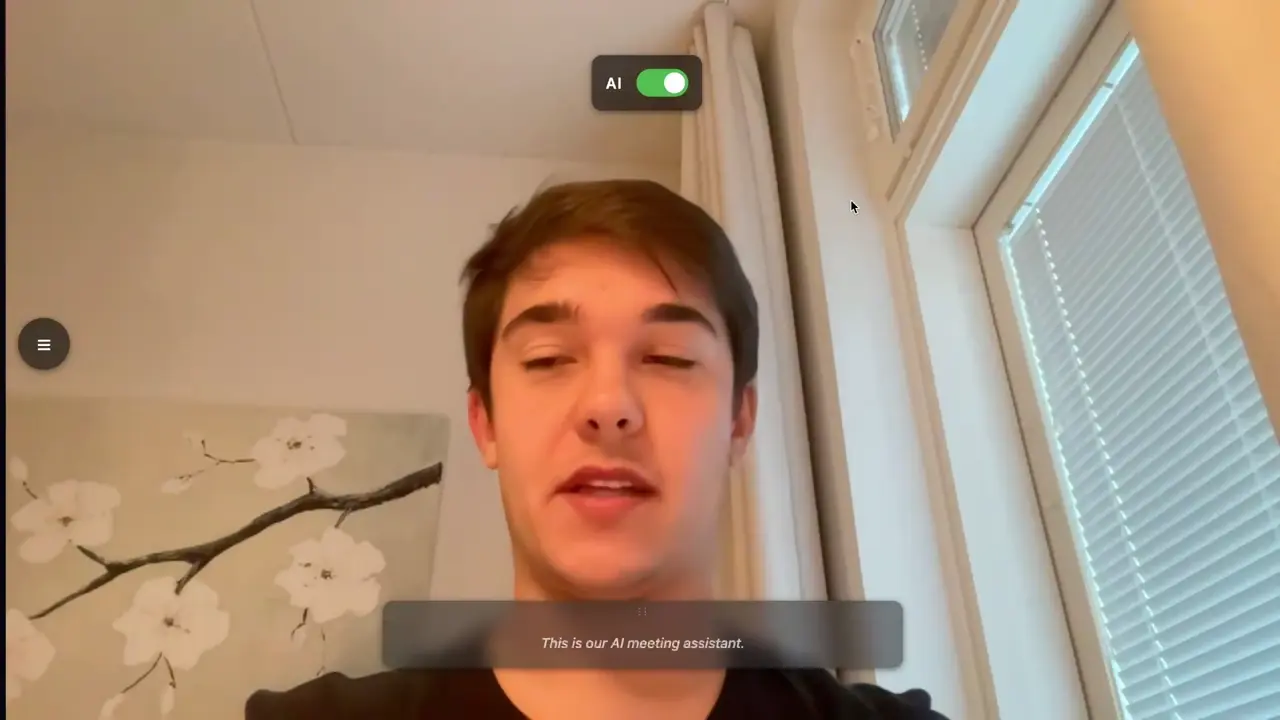
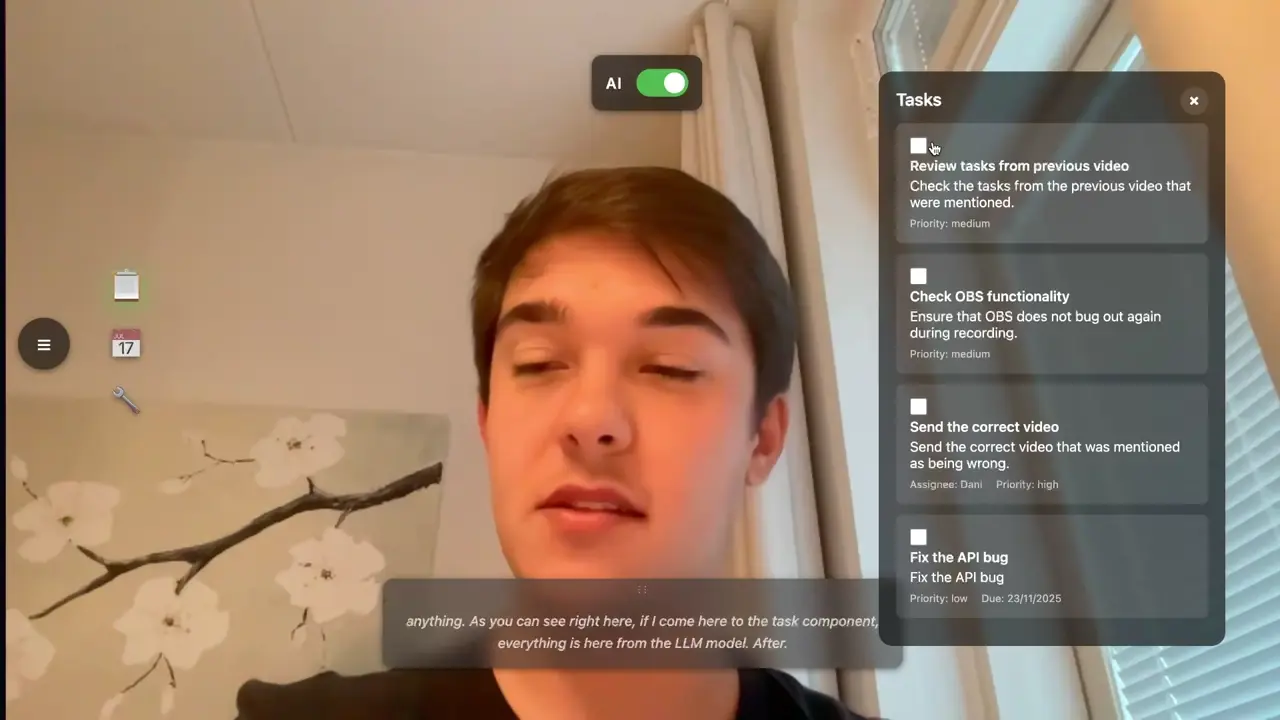
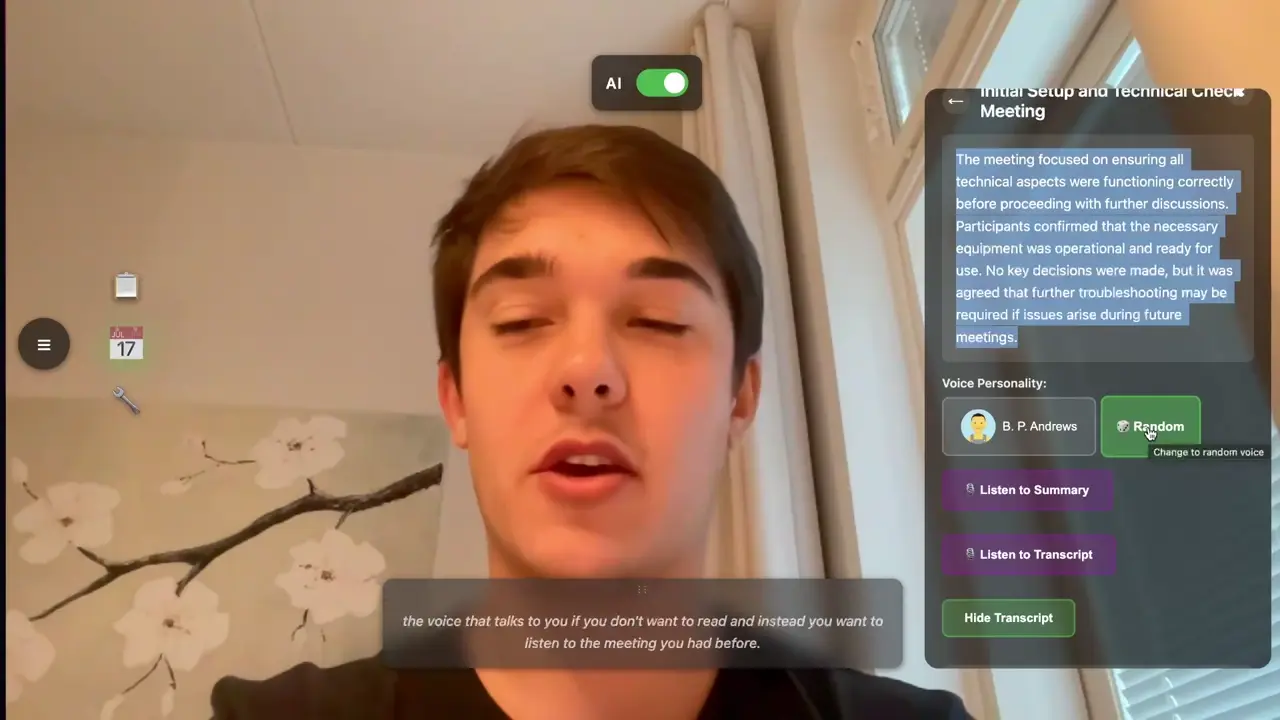
While the meeting runs, Gemini keeps an incremental summary and pulls out action items with an assignee, due date and priority. Tasks land in a panel you can open, tick off or dismiss with hand gestures. Afterwards, a “podcast mode” reads the recap to you through ElevenLabs text-to-speech, in a voice you choose. Meetings, transcripts and tasks are stored in Supabase, so you can go back to any past meeting.
Most of the engineering went into latency. Subtitles that trail speech by a few seconds are worse than none, so chunks are cut on short silences (300 ms) or after 1.5 seconds at most, whichever comes first.
My part
I built the backend: the FastAPI service and WebSocket streaming, the speech-to-text pipeline with its silence-based chunking, the text-to-speech for podcast mode, and the summarisation and task-extraction calls. Teammates built the Lens Studio app for the glasses.
About the demo
The demo rebuilds the experience for the web so you don’t need a pair of Spectacles. Your browser’s speech recognition stands in for ElevenLabs. The summary and tasks come from a small Cloudflare function that sends the same two prompts as our backend to an open model on Workers AI.